Export images
You can save the map as a file. The exported file shows the map as it is on the screen: the theme colours, the connections and the filters.
1. Export the map
-
Push Export image in the toolbar.
-
Select the area and the format in the menu.
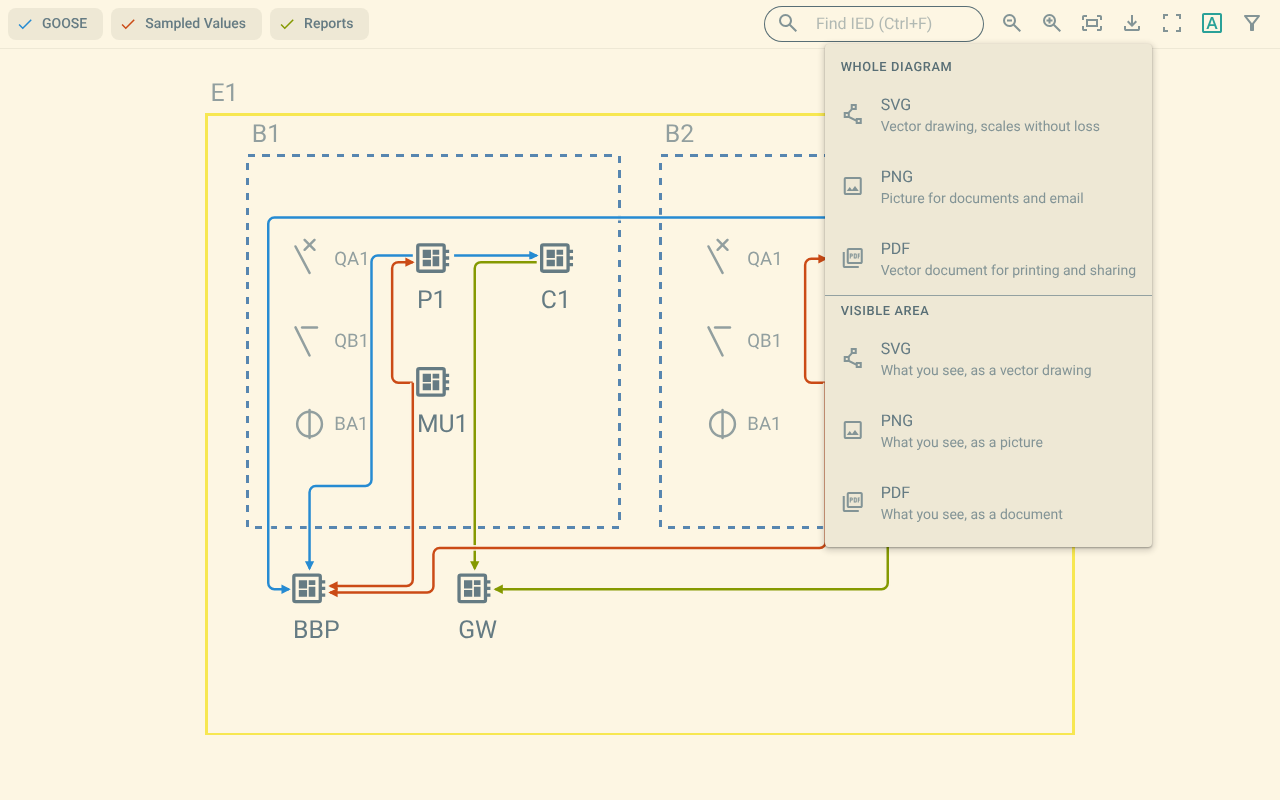
Figure 1. The Export image menu
The menu has two groups:
-
Whole diagram saves the whole substation.
-
Visible area saves only the part of the map that is on the screen.
Each group has three formats:
-
SVG saves a vector drawing.
-
PNG saves a picture.
-
PDF saves a document.
The plugin saves the file with the name of the document, the substation and the text communication.
The file of the visible area has the text view in its name.