Filter connections
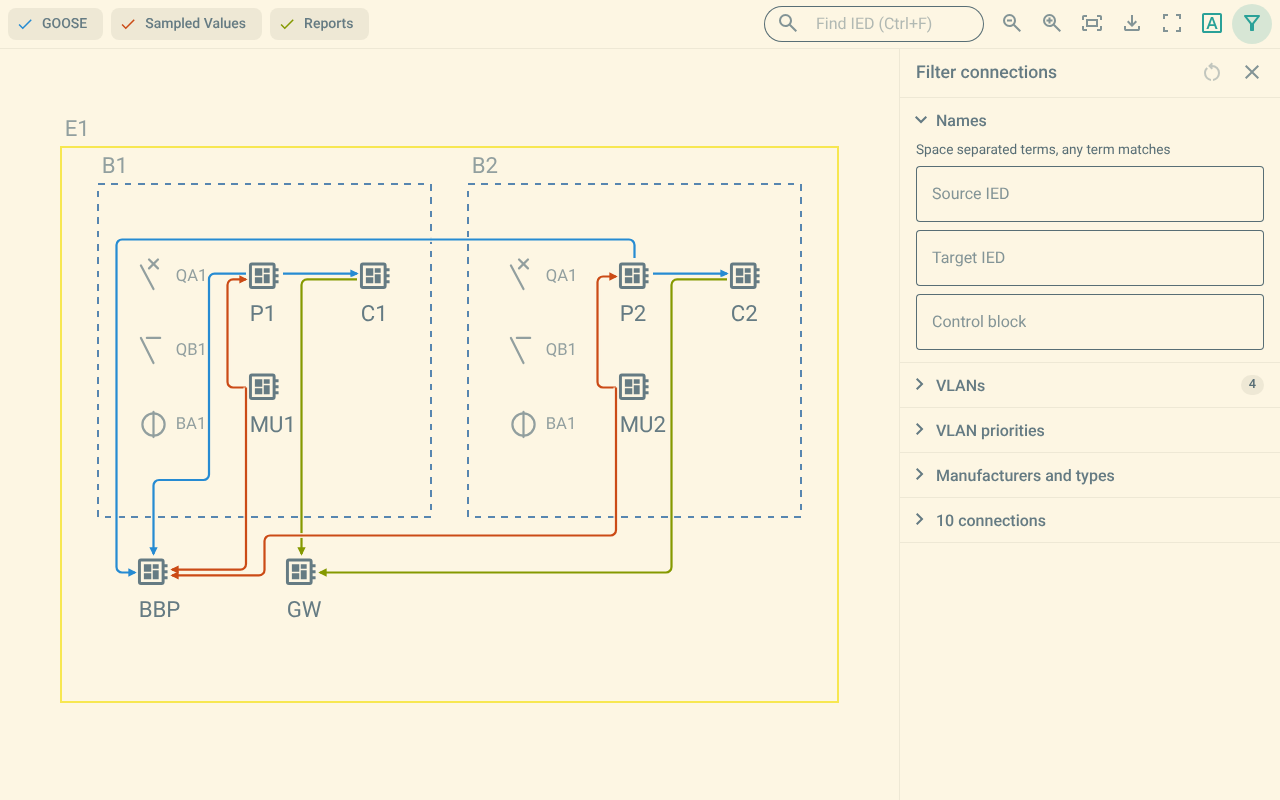
The filter panel narrows the connections that the map and the list show.
1. Open and close the filter panel
To open the filter panel, do one of these steps:
-
Push Filter connections in the toolbar.
-
Push the F key.
The panel appears at the right of the map. To close the panel, push Close, or push F again.
2. The sections
The panel has these sections:
-
Names
-
VLANs
-
VLAN priorities
-
Manufacturers and types
-
The connection list
Push the title of a section to open or close it. A section shows a number when it has a selection.
3. Names
The Names section has three fields:
-
Source IED
-
Target IED
-
Control block
Type one or more terms in a field. Separate the terms with a space. A connection matches when one of the terms is in the name.
A connection must match all the fields that you filled in.
4. VLANs
The VLANs section filters by VLAN identifier. The section appears only when the connections use VLANs.
Type the VLAN identifiers in the VLAN IDs field.
Separate the identifiers with a comma.
Type a decimal value, or a hexadecimal value with the 0x prefix, for example 0x65.
You can also select the identifiers in the list below the field.
The list shows the value in both forms, for example 0x065 (101), with the number of connections.
Push Select all to select every identifier.
Push Clear to select none.
The field and the list stay in step.
5. VLAN priorities
The VLAN priorities section filters by VLAN priority. The section appears only when the connections use VLAN priorities.
Type the priorities in the field. Separate the priorities with a comma. You can also push the button of a priority. Each button shows the number of connections.
6. Manufacturers and types
The Manufacturers and types section filters by manufacturer and IED type. The section appears only when the connections have a manufacturer.
Push the name of a manufacturer to show its IED types. Select one or more types. A connection matches when its source IED or its target IED has a selected type.
7. The connection list
The connection list shows the connections that match the filter. Push a connection to open its details. For more information, refer to Connection details.
Each entry shows the service icon, the connection title and the number of inputs.
The entry shows not on the diagram when one of the two IEDs is not placed on the shown substation.
8. Reset the filter
Push Reset filter to clear the filter criteria. The reset keeps the shown services and the selected IED.
The Filter connections button in the toolbar shows the number of active criteria. Push that button to open the panel and see the criteria.
9. Reports
The VLAN and priority criteria apply only to GOOSE and Sampled Values connections. Reports carry no VLAN, so the filter does not hide them.
10. Filter the options of one IED
When you select an IED, the panel shows the message Showing the options used by IED <name>.
The panel then offers only the values that the connections of the IED use.
For more information, refer to Select an IED.