Find an IED
Use the Find IED field in the toolbar to find an IED on a diagram.
1. Find an IED
-
Click the Find IED field, or push Ctrl+F.
-
Type a few characters of the IED name or description.
The plugin lists the best matches below the field. The list shows at most eight IEDs. The IEDs of the shown substation come first.
-
Do one of these steps:
-
Push Enter to open the best match.
-
Push ArrowDown, then select an IED in the list.
-
The plugin shows the substation of the IED. It zooms in when the diagram is small, and centres the IED. The IED pulses for a moment.
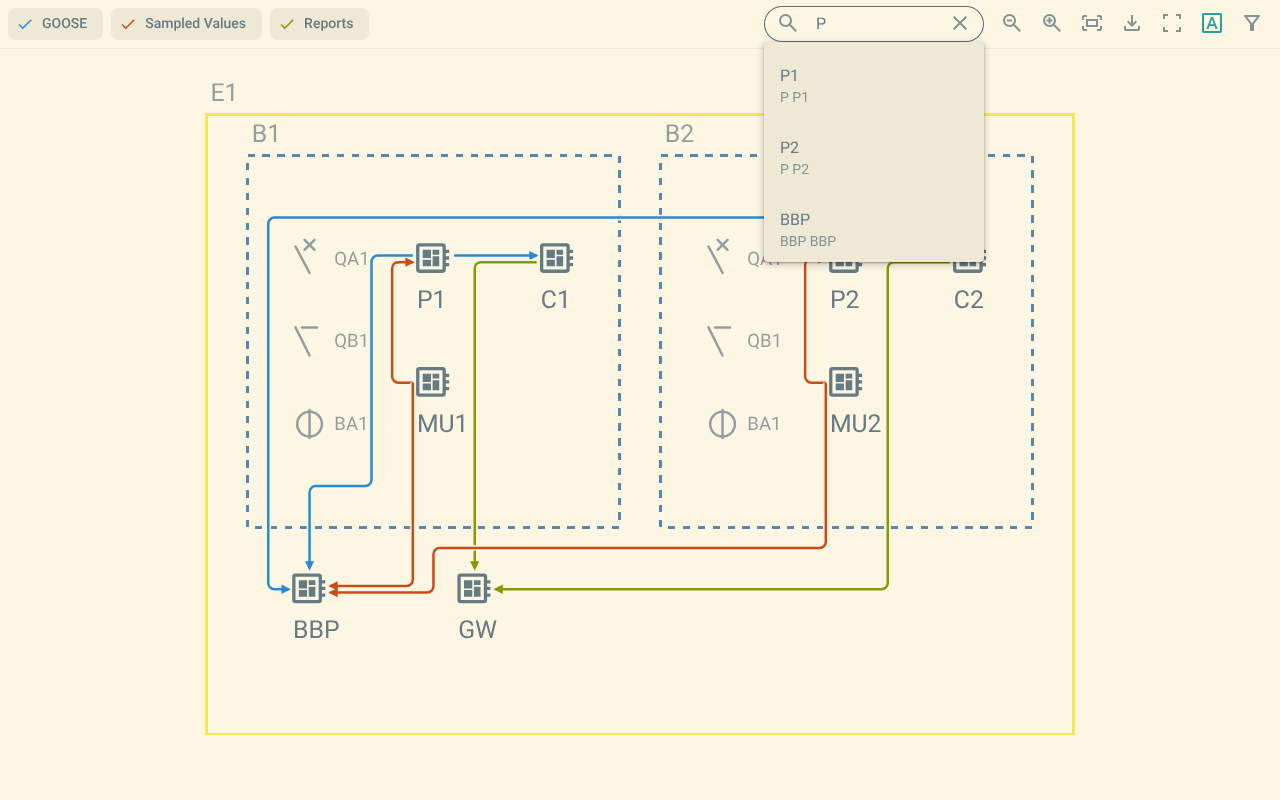
Figure 1. The search field with matching IEDs
The list shows the description of an IED and the name of its substation when these differ from the shown substation.