Introduction
The Communication Map plugin draws the IEC 61850 communication on the single line diagram. It shows the GOOSE, Sampled Values and Report connections between the IEDs.
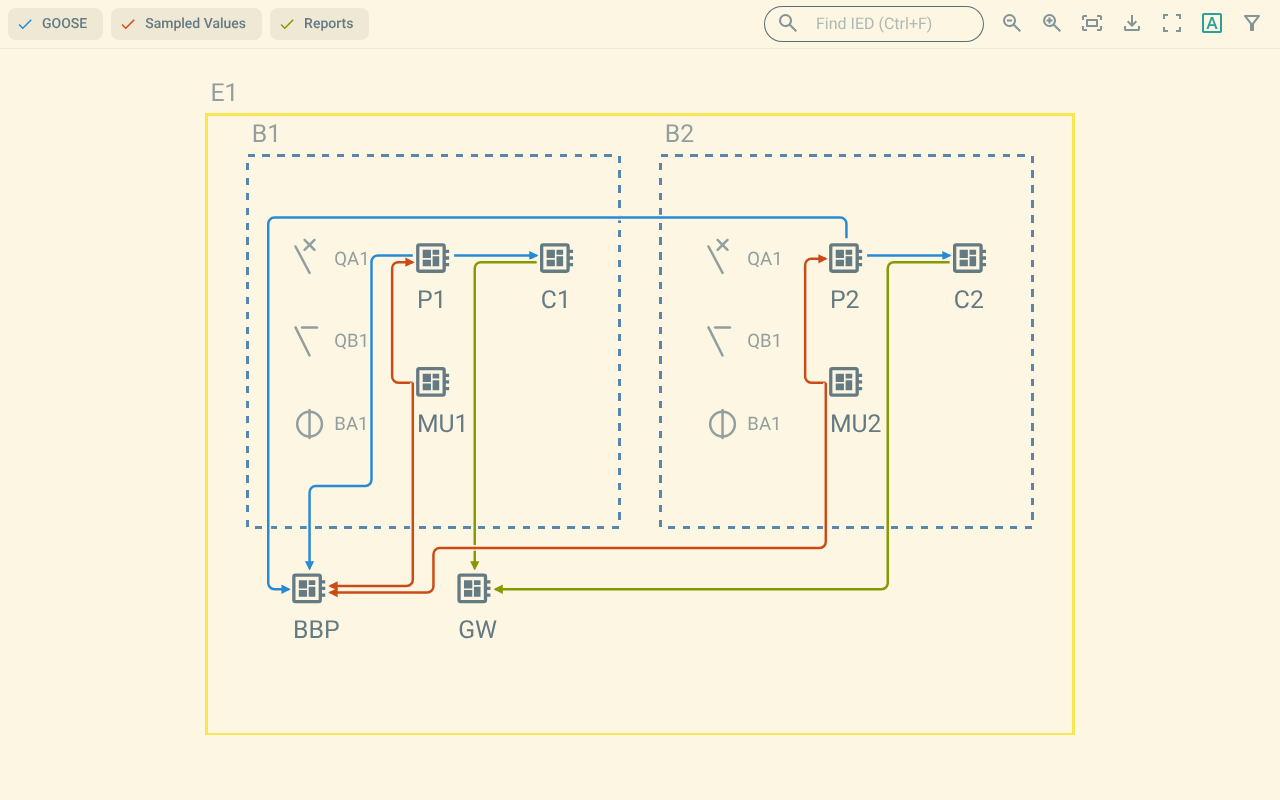
An IED appears on the diagram after an SCL engineer places it with the Single Line Diagram editor. The plugin draws one line for each connection between two placed IEDs. The line starts at the publishing IED and ends at the receiving IED. An arrow marks the receiving IED.
1. What the plugin shows
-
GOOSE connections.
-
Sampled Values (SV) connections.
-
Report connections.
Each service has its own colour. For more information, refer to The map.
2. What you can do
-
Show or hide each service.
-
Select an IED and see only its connections.
-
Filter the connections by name, VLAN, priority or manufacturer.
-
Read the details of a connection, and remove its inputs.
-
Find an IED by its name.
-
Export the map as an SVG, PNG or PDF file.
3. Requirements on the SCL file
The plugin reads the single line diagram layout that the Single Line Diagram editor writes.
This layout uses the namespace https://openscd.org/SCL/SSD/SLD/v0 and Reference elements with type="IED".
A file in the old layout format has no IEDs in this format. The plugin asks you to convert such a file. Open the file in the Single Line Diagram editor to convert it. Then open the plugin again.