Development
This page is for developers and for the people who maintain an OpenSCD distribution. The source is in the repository.
1. Build and test
You need a current Node.js (24).
git clone https://github.com/OpenPowerShift/oscd-editor-stencil
cd oscd-editor-stencil
npm ci
npm start # demo at http://localhost:8004/demo/| Command | What it does |
|---|---|
|
Compiles the TypeScript to |
|
Builds the single-file bundle and the demo pages into |
|
Serves the bundled demo, as it is deployed. |
|
Runs the unit tests with coverage. The coverage gate is 90%. |
|
Runs the screenshot tests against the baselines in |
|
Makes the baselines again. Check the pictures first. |
|
Runs ESLint and formats the code. |
|
Extracts the messages to |
The tooling is @omicronenergy/oscd-tooling, as in the other OpenPowerShift plugins.
2. Screenshot tests and the documentation images
The screenshot tests are in src/visual.test.ts and src/visual-plugin.test.ts.
The baselines are in screenshots/Chromium/baseline/oscd-editor-stencil/.
They are ordinary files in Git, not Git LFS files.
The images of this documentation are relative symbolic links from docs/modules/ROOT/images/ to the baselines.
When the UI changes and CI makes the baselines again, the documentation shows the new images.
To show a new UI state in the documentation, add a screenshot test for it, then add a link with a short name.
Do not capture images by hand.
CI runs the screenshot tests in the Playwright container (mcr.microsoft.com/playwright), whose fonts and rendering are fixed:
-
test.ymlruns them on each push and pull request. When they fail, it uploads the pictures that differ as thevisual-test-failuresartifact. -
update-screenshots.ymlruns on pushes to branches other thanmain, and on demand. When the tests fail, it makes the baselines again and commits them to the branch. Review the changed pictures in the pull request.
Screenshots taken on your own computer usually differ a little from the screenshots of the container.
Use npm run test:visual locally to look at the pictures, and let CI make the baselines that you commit.
To make the baselines locally in the same container, run:
docker run --rm --user $(id -u):$(id -g) -e HOME=/tmp/home -e CI=true \
  -v "$PWD":/work -w /work mcr.microsoft.com/playwright:v1.59.1-noble \
  bash -c "npm ci && npm run test:update"
3. The documentation
The user documentation is the Antora component oscd-editor-stencil in docs/.
The OpenSCD documentation site builds it with the other plugins, from start_path: docs.
To build the site with this repository as a local source, change the source of this plugin in the playbook of the site to the local path, then run npx antora antora-playbook.yml in the site repository.
The developer notes in docs/*.md are not part of the Antora component.
4. Demo and release
npm run bundle builds the plugin and the two demo pages (index.html and the dark index-themed.html) into dist.
continuous-deployment.yml publishes them to GitHub Pages.
The demo is not part of the npm package.
Commits follow Conventional Commits. release-please makes the releases.
5. Use the plugin in a distribution
Register the element and add it to the plugins of the shell.
demo/plugins.js is a complete example.
Refer to Get the plugin.
The plugin has a locale property (en, de or pt).
It follows the doc, docVersion and locale properties that the shell gives.
It makes each change as one EditV2 event (oscd-edit-v2) with a title.
The plugin keeps the library in the localStorage of the browser, under the key oscd-stencil-library.
When that key is empty, the plugin reads the single stencil that earlier versions kept under the key oscd-stencil.
6. Theming
The plugin follows the OpenSCD theming model in @openscd/oscd-api docs/theming.md.
All declarations are in src/theme.ts.
-
Distribution palette. Each component sets internal
--oscd-tokens from the--oscd-theme-variables of the distribution, with Solarized defaults. The components use only the internal tokens. The plugin never sets--oscd-theme-*. -
Material components.
oscdMd3Mappingsfrom@omicronenergy/oscd-uimaps the same palette to the--md-sys-color-roles of buttons, fields, switches, dialogs and trees. The plugin changes some roles for text contrast. The shape scale (--md-sys-shape-corner-) comes from--oscd-theme-shape. -
Editor. The JSON editor uses the
--oscd-ace-editor-*tokens ofoscd-ui, which follow the same palette.
The components have no fixed colours. An icon and a colour together show the difference between GOOSE and sampled values.
6.1. Palette variables
| Variable | Used for |
|---|---|
|
Selected steps, buttons, switches, GOOSE colour |
|
Sampled value colour |
|
Delete actions, problems |
|
Text, secondary text, borders |
|
Cards and page backgrounds |
|
Corner radii |
|
Fonts |
6.2. Plugin hooks
| Hook | Default | Affects |
|---|---|---|
|
The primary colour, darkened for contrast |
GOOSE icons in the tables of control blocks and in the capture |
|
The secondary colour, darkened for contrast |
Sampled value icons |
|
A mix of the primary and secondary colours, darkened for contrast |
The SEL message quality badge |
Set a hook on the plugin element, on the shell or on :root:
oscd-editor-stencil {
  --oscd-editor-stencil-goose-color: #cb4b16;
}
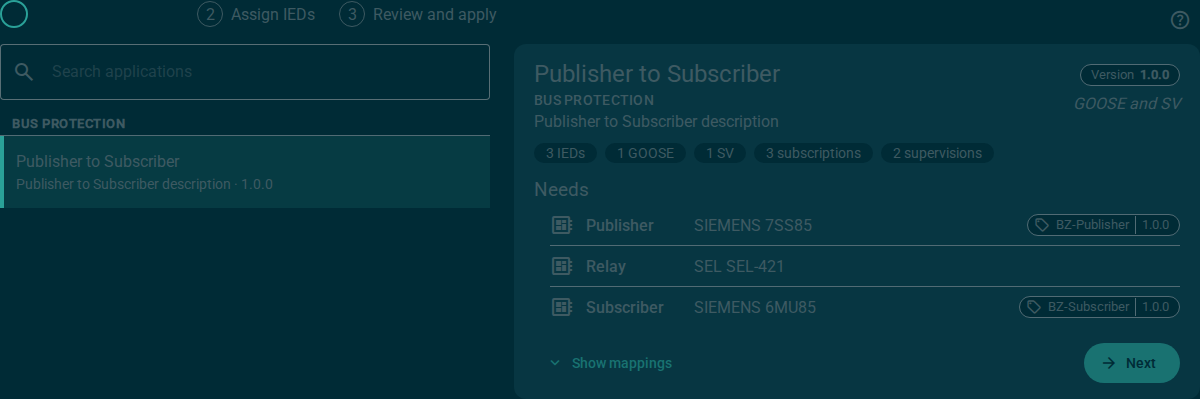
demo/index-themed.html shows the plugin with a dark palette and other service colours.
7. Translations
The messages use msg() from @lit/localize.
-
Change the messages in the source.
-
Run
npm run localize. -
Add the
<target>of each new message toxliff/de.xlfandxliff/pt.xlf. -
Run
npm run localizeagain to generate the locale files.
A page can configure lit-localize only one time for each copy of the library.
The bundled plugin has its own copy and translates.
When a host loads the plugin unbundled and configures a shared copy first, as the npm start demo does, the plugin stays in English.
8. Source layout
| Path | Holds |
|---|---|
|
The plugin: tabs, library, import, tag dialog, edit events |
|
The Apply steps |
|
The Manage tab |
|
The capture steps |
|
The JSON editor |
|
The table of control blocks and the help dialogs |
|
Logic without a user interface: reading control blocks, planning edits, the stencil model, the file format, the library |
|
Test fixtures, not published |
|
The upgrade plan and its decisions |