Stencil tags
A stencil tag tells which function of a stencil an IED is for.
A stencil tag is two Private elements on the IED:
<IED name="BZ1" manufacturer="SIEMENS" type="7SS85" ...>
  <Private type="OpenSCD-Stencil-Id">BZ-Publisher</Private>
  <Private type="OpenSCD-Stencil-Version">1.0.0</Private>
  ...
</IED>
The Tag Id is the value of OpenSCD-Stencil-Id.
The Tag version is the value of OpenSCD-Stencil-Version.
1. When to use stencil tags
Use stencil tags when IEDs of the same manufacturer and type do different jobs. An example is a bus protection relay and a line protection relay of the same model.
-
When a function has a stencil tag, only an IED with the same Tag Id and Tag version can fill the function.
-
When a function has no stencil tag, each IED with the same manufacturer and type can fill the function.
A function gets its stencil tag when you create the application. The plugin copies the stencil tag from the IED. To change the stencil tag of a function, refer to Change a version.
2. Tag IEDs
You open the Tag IEDs dialog from one of these places:
-
Tag IEDs… in the Assign IEDs step of the Apply tab.
-
The tag icon (Tag IEDs in this document…) in the Stencils card of the Manage tab.
-
Tag IEDs in this document… in the card of a version in the Manage tab.
-
Tag IEDs… in the Review and save step of the capture.
-
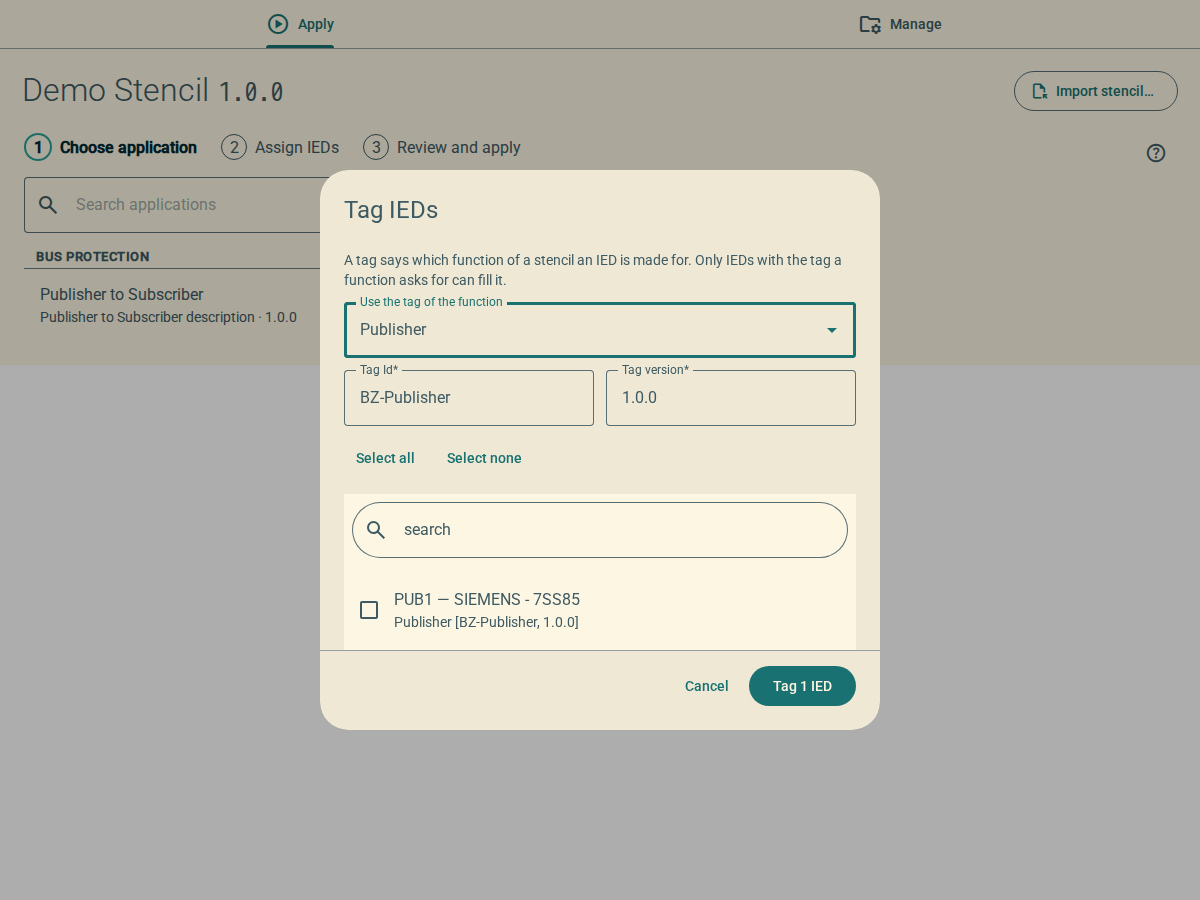
Open the Tag IEDs dialog.
-
If the dialog shows Use the tag of the function, select the function.
The dialog fills in Tag Id and Tag version with the stencil tag of that function.
-
As an alternative, type the Tag Id and the Tag version.
-
In the list, select the IEDs to tag.
To find an IED, type a part of its name, manufacturer, type, description or stencil tag in the search field. Select all and Select none change only the IEDs that the search shows.
-
Click Tag 1 IED or Tag n IEDs.
The plugin adds or changes the two
Privateelements on each IED. The plugin makes all the changes as one edit.
The dialog shows Use the tag of the function only when you open it for a version that has functions with stencil tags.
The list shows the name, the manufacturer and the type of each IED. Below them, it shows the description of the IED and its current stencil tag in square brackets.
If an IED already has the stencil tag, the plugin does not change it. If no IED changes, the plugin shows the message These IEDs already had this tag.
To remove the changes, use undo in the menu bar of OpenSCD.