Edit a stencil as JSON
A stencil is a JSON file. The Manage tab has a JSON editor for the parts that the forms do not change. An example is the removal of one subscription from a version.
Use the forms for usual changes. For more information, refer to Manage stencils.
1. Open the JSON editor
You can edit the whole stencil, one application or one version. A smaller part is shorter and easier to read.
| To edit | Click |
|---|---|
The whole stencil |
Edit the stencil as JSON ( |
One application |
Edit the application as JSON ( |
One version |
Edit the version as JSON ( |
The plugin loads the editor the first time that you open it. If the editor cannot load, the plugin shows a message. Check the network connection and open the editor again.
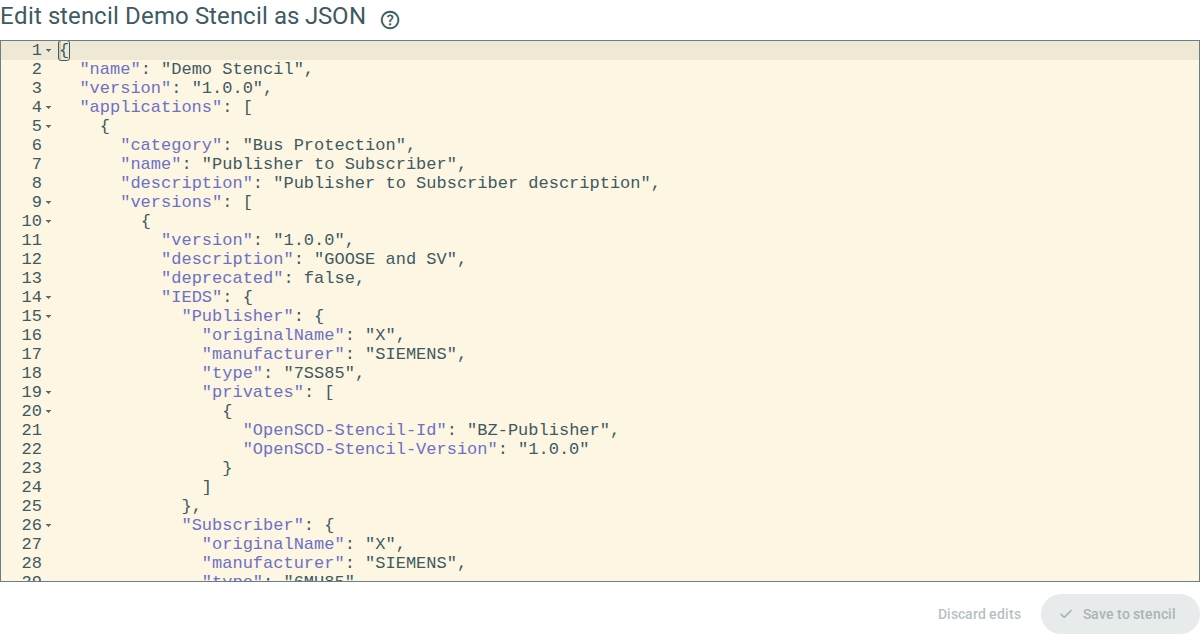
2. Change the JSON
-
Open the JSON editor for the part to change.
-
Change the text.
The plugin checks the text while you type. If the text has problems, the plugin lists them below the editor.
-
Click Save to stencil.
The plugin saves the change to the library.
Save to stencil is not available while the text has problems.
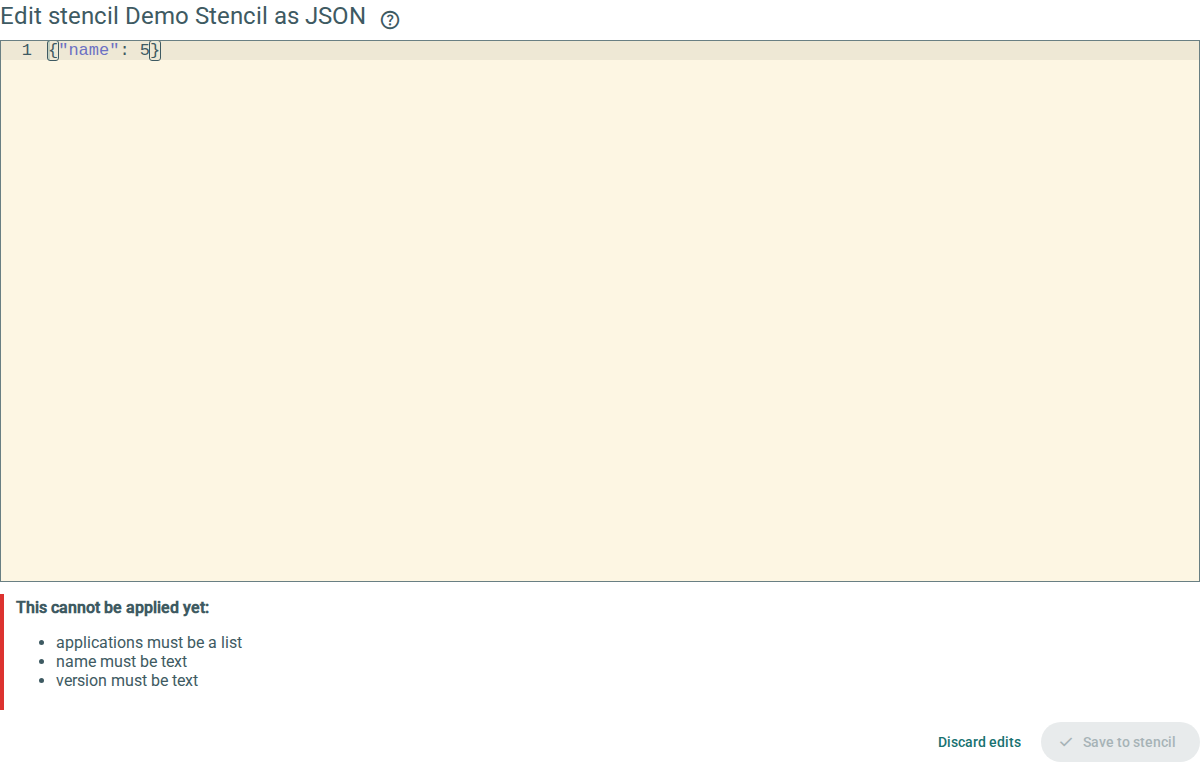
To remove your changes, click Discard edits.
To go back without saving, click Back to stencils. If you changed the text, the plugin asks you to confirm. Click Discard edits to go back.
If the stencil changes in another place while you edit, the plugin shows a message. Discard your edits to see the new stencil, then make your changes again.
The plugin checks the same rules as when you import a file. For example, two applications cannot have the same category and name. The text of the problems is in English only.
3. File format
The file has these top-level keys:
| Key | Value |
|---|---|
|
The version of the file format. The current version is |
|
The name of the stencil. |
|
The version of the stencil. |
|
A list of applications. Each application has |
Each version has version, description, deprecated, IEDS and ControlBlocks.
-
IEDShas one entry for each function. The key is the function name. The entry hasmanufacturer,type,originalNameandprivates, which holds the stencil tag. -
ControlBlockshas one entry for each control block and subscribing function. The entry hasfrom,to,type(GSEControlorSampledValueControl),id,name,mappings,supervisionand, for SEL relays,selSupervision.
References to elements are the identity of the element without the IED name, for example >>LD0>GC1.
Files from earlier versions of the plugin have no schemaVersion.
The plugin reads these files without change.
The plugin always writes version 2.
The plugin does not read a file with a schemaVersion that is newer than it knows.
Update the plugin to read such a file.
{
  "schemaVersion": 2,
  "name": "Demo Stencil",
  "version": "1.0.0",
  "applications": [
    {
      "category": "Bus Protection",
      "name": "Publisher to Subscriber",
      "description": "Demonstration application",
      "versions": [
        {
          "version": "1.0.0",
          "description": "GOOSE and SV from one publisher to a merging unit and a SEL relay",
          "deprecated": false,
          "IEDS": {
            "Publisher": {
              "originalName": "PUB1",
              "type": "7SS85",
              "manufacturer": "SIEMENS",
              "privates": [
                {
                  "OpenSCD-Stencil-Id": "BZ-Publisher",
                  "OpenSCD-Stencil-Version": "1.0.0"
                }
              ]
            }
          },
          "ControlBlocks": [
            {
              "id": ">>LD0>GC1",
              "name": "GC1",
              "from": "Publisher",
              "to": "Subscriber",
              "type": "GSEControl",
              "mappings": [
                {
                  "FCDA": ">>LD0>DS_G>LD0/ GGIO 1.Ind1 stVal (ST)",
                  "ExtRef": ">>LD0>I1[0]"
                }
              ],
              "supervision": ">>LD0> LGOS 1"
            }
          ]
        }
      ]
    }
  ]
}